
Okta SCIM integration
Learn how to get started with Okta SCIM
Set up Okta SCIM integration to automatically provision and sync employee data from Okta to your application through UAPI.
Unlike other HRIS integrations that rely on polling, Okta SCIM uses a push-based model. Okta pushes user provisioning events (create, update) to UAPI via SCIM, and UAPI delivers them to your webhook endpoints in real time. This means you need to set up a webhook before configuring the connection.
Step 1: Create a webhook for HRIS
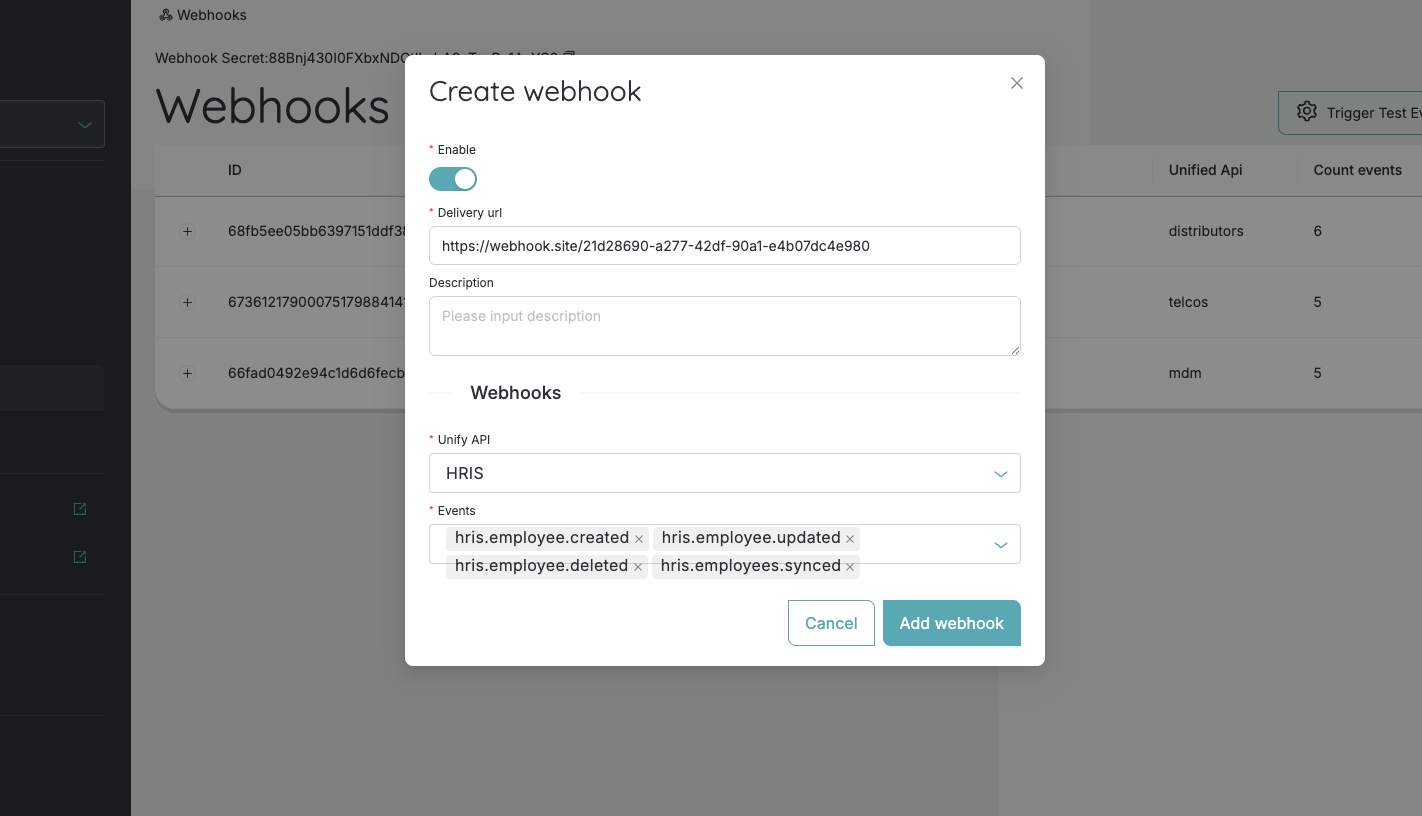
Before setting up the Okta SCIM connection, create a webhook to receive employee provisioning events:
-
Navigate to the UAPI Portal
-
Go to the Webhooks section
-
Create a new webhook subscription for HRIS
-
Set the delivery URL:
- For production — use your own endpoint that will receive webhook events
- For testing — generate a temporary URL using Webhook.site to inspect incoming webhook payloads in real time
-
Save the webhook
Step 2: Create a consumer
Create a consumer by following the Consumers guide.
Step 3: Set up the Okta SCIM connection
-
Open the consumer created in the previous step
-
Select the Available tab
-
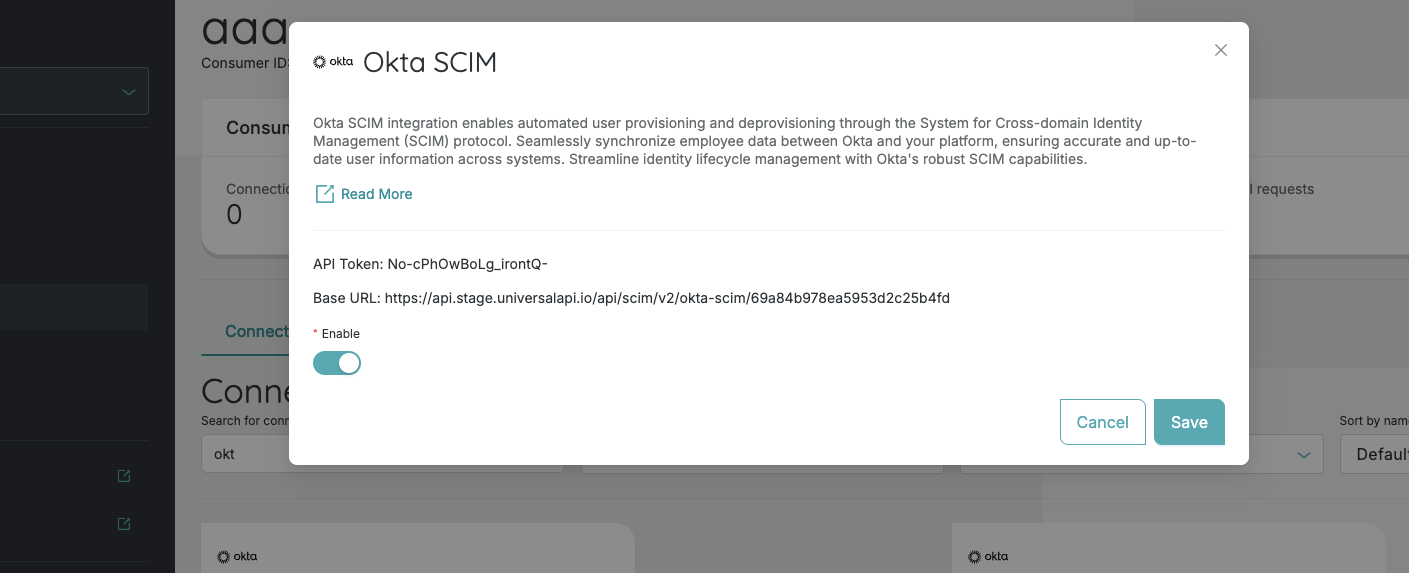
Find the Okta SCIM connection and open it
-
Take note of the connection metadata, which contains:
- Base URL - the SCIM endpoint URL that you will configure in Okta
- API Token - the bearer token Okta will use to authenticate SCIM requests
-
Keep this information handy - you will need it in the next step
Step 4: Create a SCIM application in Okta
- Go to your Okta admin console
- Create a SCIM provisioning application following the SCIM Application guide
- When configuring the SCIM connection in Okta, use the Base URL and API Token from the connection metadata obtained in the previous step
Step 5: Verify webhook delivery
- After assigning users to the SCIM application in Okta, provisioning events will be pushed to UAPI
- Open your webhook delivery URL (e.g., your test webhook site from above)
- Verify that webhook events are appearing - you should see
employee.createdoremployee.updatedevents as Okta provisions users
Step 6: Make your first API call
- Open the API Explorer
- Fetch all employees or a single employee - the data reflects the users provisioned through Okta SCIM
Follow the API Explorer guide for detailed instructions on using the explorer.
Congratulations — you've successfully set up Okta SCIM integration! 🎉
Updated 8 months ago